
Style-Locked Image Generation — When Every Asset Has to Match
Generating one good illustration is easy. Generating the four hundredth one that still matches the first is the actual problem.
We build learning games for primary-school children, and a single product needs hundreds of assets: shop objects, animals, characters in a dozen poses, props, icons. They all have to look like they came from the same hand. A prompt that worked last Tuesday will not get you there. Here's the setup we ended up with, and the parts of it that surprised us.
Scenes are the boring part — a big picture, a long prompt, done. The interesting work is in objects and characters, because that's where drift actually shows.
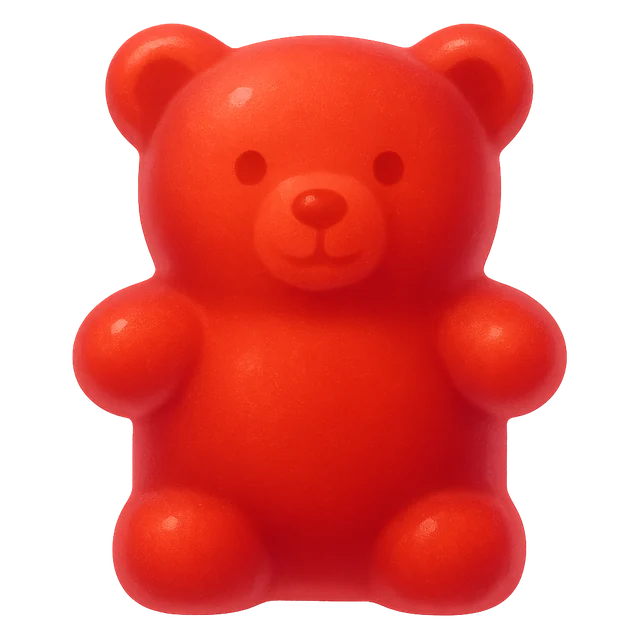
jelly bear
Paused · ← → or swipeHow We Made It
1. A written spec, not a mood board
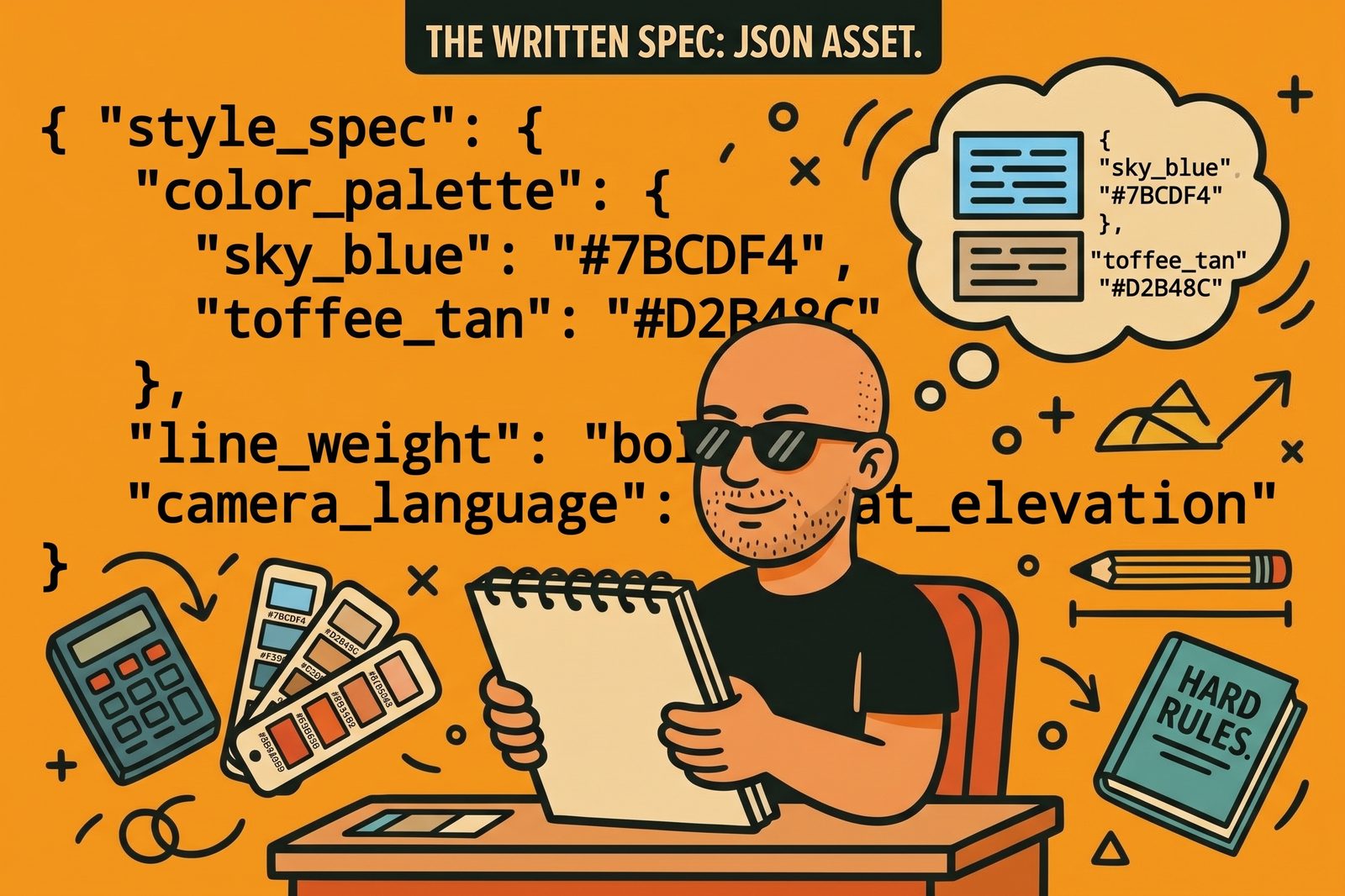
The instinct is to collect reference images. We did that first and it failed, for a reason that took a while to see: an image is ambiguous instruction. Show the model a picture and it can't tell whether you meant the composition, the palette, the lighting, or the brushwork. It picks one, usually not yours.
So the primary asset isn't the reference folder. It's a JSON file. Palette as hex codes with a role for each one. Line weight. Lighting. Camera language. Mood. An avoid list. All of it compiles to a text block that gets prepended to every single call, identically, forever.
The values aren't invented. They're measured off the art we'd already shipped — area-weighted dominant colours snapped to colours actually declared in those files. When we guessed, we were wrong.
Two dimensions sit on top of it. A variant answers which world — it swaps the palette. A type answers what am I making — object, character, icon, map — and swaps format, composition, and where needed the rendering rules. Overlays replace whole sections rather than merging, because a merged palette is not a palette.
And one section no overlay can touch: hard_rules. Today it holds one rule — no text of any kind, anywhere. Image models garble lettering, and a rule that a type could quietly relax is not a rule.
2. One command, no raw API calls
Every image goes through one wrapper. Not "usually" — every one, including throwaway tests.
grafari generate "a small brass hand bell" --type object --variant city
That command injects the versioned style block, attaches the right references, and writes a provenance sidecar next to the PNG: the full assembled prompt, the guide version, the reference IDs, the provider settings, a fingerprint. We have 731 of them.
This sounds like bureaucracy until the first time someone asks why an asset from six weeks ago looks off. Then it's the only thing that answers the question. An ad-hoc client.images.generate(...) anywhere in the project — even in a scratch script — defeats the whole setup, so there is no path for one.
3. Objects: the renderer ignores adjectives and obeys physics
This is the part I'd tell anyone starting out.
Naming a colour does not work. Naming a substance does.
We needed honeycomb toffee. It came back as a wedge of cheese — caramel-coloured, porous, unmistakably cheese. "In the kraft-tan family, not yellow" did nothing. What fixed it on the next call:
deep toffee brown, the colour of set treacle toffee, never yellow, pale, buttery or cheese-coloured
Same pattern with a parasol that had to avoid the palette's reserved gold. Two attempts came back with yellow canopies — measured at 55.3% and 35.4% of the object inside the warm-gold band. Naming a referent substance — "deep terracotta orange-brown, the colour of a fired clay flowerpot… if a panel looks like the colour of a lantern glowing, it is wrong" — dropped it to 3.4%.
Naming a shape you want beats naming the shape you don't. A chocolate bar kept arriving in three-quarter view. Rounds of "not three-quarter, flat elevation" achieved nothing. This worked immediately:
a plain flat upright rectangle, like a book standing on a shelf with its cover facing you
It then made two more objects come back flat on the first call. Give the model something to draw, not something to avoid.
And when a shape fights twice, change the subject, not the wording. We wanted a heaped tray of pastries. Four attempts came back drawn from high above, showing the tray's inner floor, when the scene needed a near-level view. We rewrote the instructions twice more. Twelve generations, six rounds.
The problem wasn't the wording. A tray is locked to a raised viewpoint in this renderer — the same way a bowl and an open tin are. So we stopped asking for a tray. A tiered stand holds just as many pastries, belongs on a table, and its natural presentation is side-on. It came back correct on the first call.
That rule has held every time since. If two well-aimed rewrites don't move it, the subject is wrong, not the prompt.
4. Characters: words hold the description, an image holds the face
Characters need two mechanisms, and people usually only build one.
The cast entry in the style guide is prose. It renders into the prompt only when a call names that character, and it holds who they are — their clothes, their build, their role. That gets you a consistent description.
It does not get you the same face twice. For that you need a subject reference: an actual shipped sprite of that character, attached to the call. Words hold the description; pixels hold the identity. Both, or the character drifts.
One trap worth flagging, because it fails silently. Attaching a reference by ID isn't enough — the reference selector filters by role, and it defaults to anchors. Pass the ID without the role and your subject reference is quietly filtered back out, the call runs, and you get a perfectly good image of someone else. It looks like it worked. It didn't.
The other rule: generate a character's poses in one call, not one at a time. A model sheet of three poses in a single image is internally consistent by construction. Three separate calls give you three cousins. Generate the sheet, then cut it into sprites.
5. The spec described a world the art had left
Our most expensive mistake wasn't a prompt. It was trusting our own documentation.
The guide's character section says, in its own words:
naturalistic proportions — real head-to-body ratio for adults and children alike, never enlarged heads
Our two lead characters do not obey that. They have generously proportioned heads, around one to five and a half, large round eyes with a single catch-light, bold saturated clothing. The guide described a more realistic drawing than the cast it existed to describe.
So when we briefed five new supporting characters, we quoted the guide — it was our own spec. All five came back with small realistic eyes, finely detailed adult faces, and muted clothes. Measured mean saturation: the leads at 0.817 and 0.710, the new characters at 0.453, 0.430 and 0.538. They were correct according to the document and wrong beside the cast.
The fix was to stop quoting the spec and spell out the cast's actual construction — large round eyes set well apart, one bright catch-light, arched brows, head about a sixth of total height, bold saturated colour blocks. All five came back on model, at 0.775, 0.777 and 0.719.
The lesson generalises past art: when the spec and the shipped work disagree, the shipped work is the spec. Open a finished asset next to the new one before judging it. We've now hit this three separate times in the same project — a palette, a character section, and a type that quietly overrode the palette beneath it.
6. When words stop working, measure and fix it afterwards
Some artefacts don't respond to prompting at all, and it's worth knowing which so you stop paying for rerolls.
The renderer bakes a soft contact shadow under roughly six in ten transparent objects, even though the spec forbids it. We tested whether wording could fix it. Adding an explicit "no contact shadow, empty alpha everywhere the object is not" moved one asset from 15,612 stray pixels to 16,001. It got slightly worse.
So that one isn't a prompting problem. It's a post-processing script — and it separates shadow from genuine antialiasing by geometry rather than by alpha threshold, because true edge antialiasing touches the object's body and a shadow pool doesn't.
This matters beyond looks. Sprites are placed by anchoring to the bottom of their alpha bounding box, so an unstripped shadow silently lifts the object off its mark and shrinks it. One measured 469 pixels below the object's base.
The general habit: spend one call measuring whether wording fixes an artefact before you write a post-process — and say what you measured. Half the things we were sure about turned out to be wrong when we measured them.
What's Possible Next
1. Flip the spec to active. The guide is still a draft. Once it's locked, editing it in place would invalidate every sidecar pointing at that version, so changes become new versions and old images stay reproducible.
2. Train a LoRA. The same manifest that drives reference selection is already a labelled training set. It's the strongest lever available, and it needs 20–100 curated images first — which is the real reason we haven't yet.
3. Close the feedback loop properly. Rejections are logged with a reason drawn from a fixed vocabulary, never free text, because free text can't be counted and an uncounted reason never makes it back into the spec. Eighty-five rejects logged so far. The reasons should be driving spec changes automatically, and right now they're driving them manually.
You Can Try It
None of this needs a big stack. A JSON file, one wrapper function, a sidecar per image, and the discipline to never call the API directly. The rest is measurement.
The part I'd start with is the smallest: write your style down as text before you collect a single reference image, and derive the values from work you've already shipped rather than from what you think your style is. The gap between those two is where drift comes from.